— Evidence Editor
Still copy-pasting from ChatGPT? Or writing in the standard's context?
ChatGPT doesn't know which requirement you're evidencing right now. AuditGuide does. The Evidence Editor generates evidence drafts directly from the standard clause — checks completeness, works in Word, and saves you the copy-paste loop that ends up non-compliant anyway.
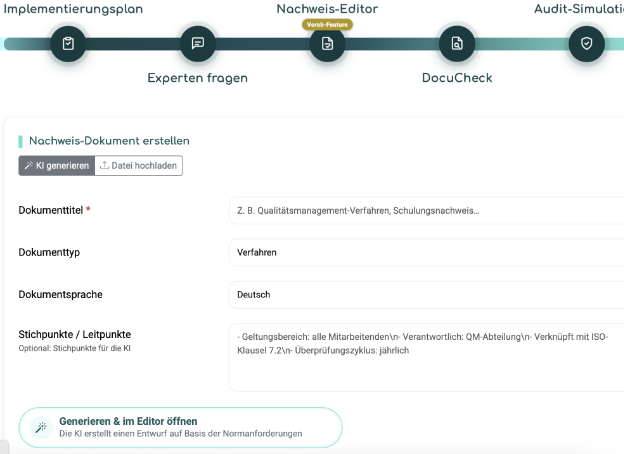
AuditGuide generates a first draft based on the specific standard requirement — not on a generic prompt response.
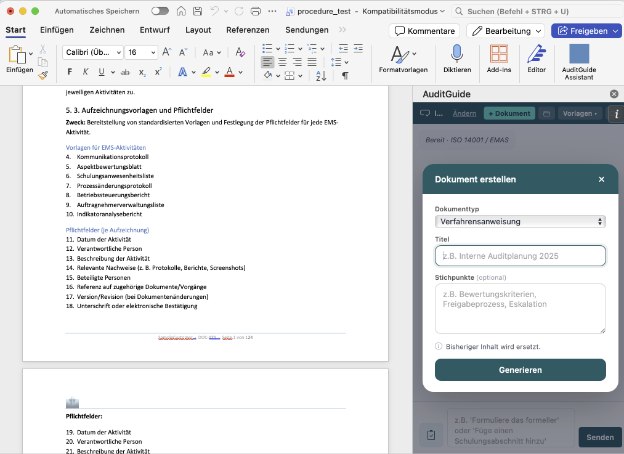
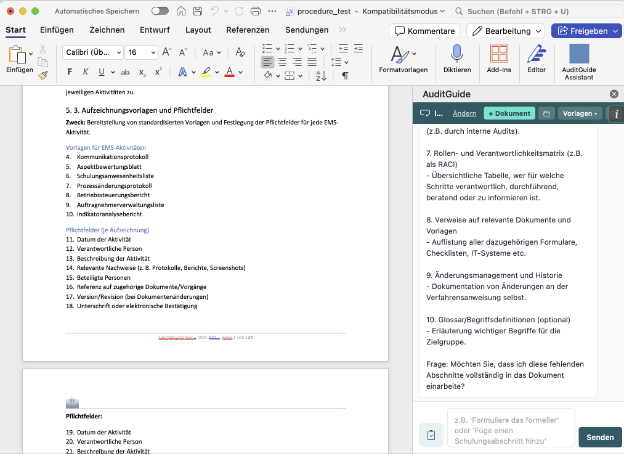
The Word plugin brings all AI functions directly into your document — no tab switching, no copy-pasting, no context loss.
Evidence Editor
Continue evidence online or directly in Word — in the context of the standard requirement.
Word Plugin
AI directly in Microsoft Word — no tool switching.
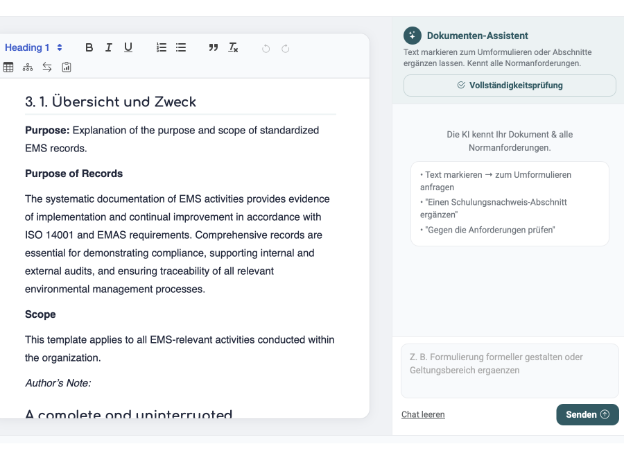
Completeness Check
Automatic check against the requirement.
"I asked ChatGPT for every piece of evidence, copied it out, adjusted it — and the auditor still flagged it."
"The answers were well-written. But they covered the wrong requirement. ChatGPT didn't know exactly what A.8.9 of ISO 27001:2022 demands from me — and neither did I, really. So I wrote something that sounded good but missed the point."
Karin is an IT security officer at a machinery manufacturer. Technically skilled, but not a standard lawyer. Her approach was rational: use AI to go faster. The problem wasn't the AI — it was the missing context.
With the AuditGuide Evidence Editor, Karin sees the standard requirement on the left while the AI writes on the right — and knows exactly what's needed. The completeness check shows her before saving whether the evidence really fulfils the requirement. No more guessing. No more auditor flags.
And because she prefers working in Word: the plugin is installed, the context is there, the quality stays the same.
— What the editor can do
Not just writing. Evidencing.
AI First Draft
AuditGuide generates a draft based on the specific standard clause — not a generic template.
Standard at Hand
The relevant requirement stays accessible while you write — less back-and-forth between tabs and PDFs.
Completeness Check
Before you save: AuditGuide checks whether your evidence truly covers all relevant aspects — and what's still missing.
Microsoft Word Plugin
Work in your familiar Word environment — the plugin brings all AI functions directly as a sidebar. No tool switching.
Iterative Refinement
Write, check, improve — as many times as needed. AI-assisted until the evidence is truly audit-ready.
Built-in Plugins
Process builder, PDCA cycle template, and more — ready to use for the most common evidence types.
— FAQ
What you should know
What is the difference between the Evidence Editor and ChatGPT?
ChatGPT doesn't know which standard you're working in, and doesn't know which requirement you need to evidence. The AuditGuide Evidence Editor is directly linked to the specific requirement and automatically checks whether your evidence is complete. The result is standard-compliant — not just well-written. No copy-pasting required.
How does the Word plugin work exactly?
Deploy the add-in centrally via your Microsoft Admin Center. In Word a sidebar appears with the AuditGuide assistant. You can load the AI draft and continue working directly in the document — without interrupting your workflow.
Does AuditGuide check whether my evidence is truly complete?
Yes. The integrated completeness check analyses whether your document covers all relevant aspects of the standard requirement. You get targeted feedback — not "looks good" or "gaps found", but specifically what is missing and why.
Can I import existing documents?
Yes. You can upload existing drafts and refine them with AI support. You don't have to start from scratch — AuditGuide helps you bring existing documents up to the required standard.
Which standards does the editor support?
All standards AuditGuide supports: ISO 27001, ISO 9001, ISO 14001, ISO 45001, and more. The editor always works in the context of the standard chosen for your implementation plan. See all use cases →
Stop writing evidence that sounds good but misses the requirement.
Write your first piece of evidence directly in the standard's context — in AuditGuide or in Word.
Start now! →